Research Revolution
A speakers page that keeps up with the spreadsheet
Speakers, sponsors and announcements for Research Revolution 2026, a clinical research conference in Atlanta.
- Client
- Research Revolution
- Year
- 2026
- What we did
- Web development, WordPress plugin, Content import
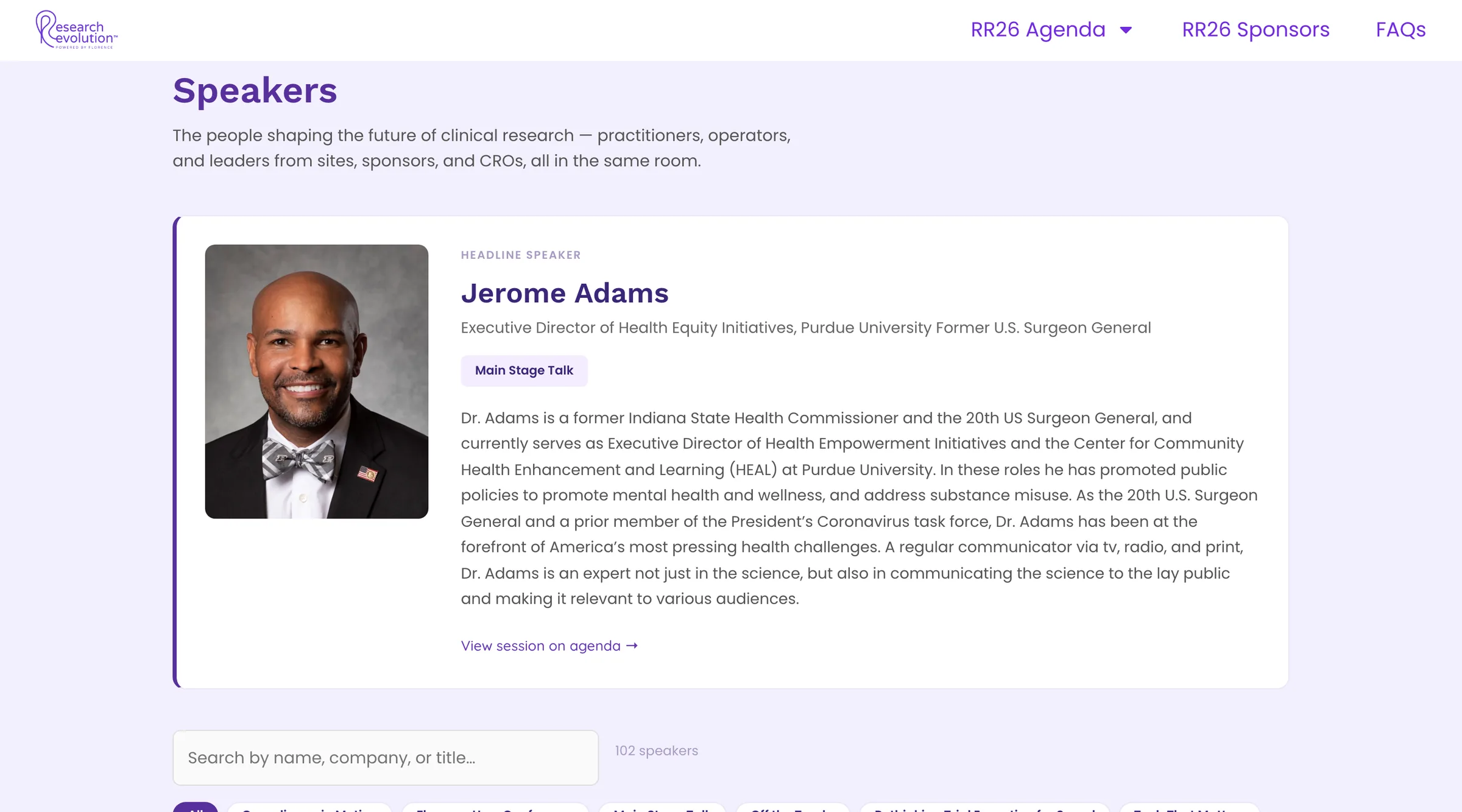
Research Revolution is the clinical research conference that Florence Healthcare hosts in Atlanta. For the 2026 event we built its speakers page, its sponsors page and the announcement carousel on its homepage. The speakers page is filled from the spreadsheet the organizers already keep.
The challenge
A conference roster keeps changing until the doors open. Speakers confirm, withdraw, correct their names and send their photos late. The organizers tracked all of it in one spreadsheet, with new speakers and headshots arriving every week.
The year before, the speakers page was a single page laid out by hand. This time the website had to keep up with the spreadsheet without anyone retyping it.
2025, laid out by hand

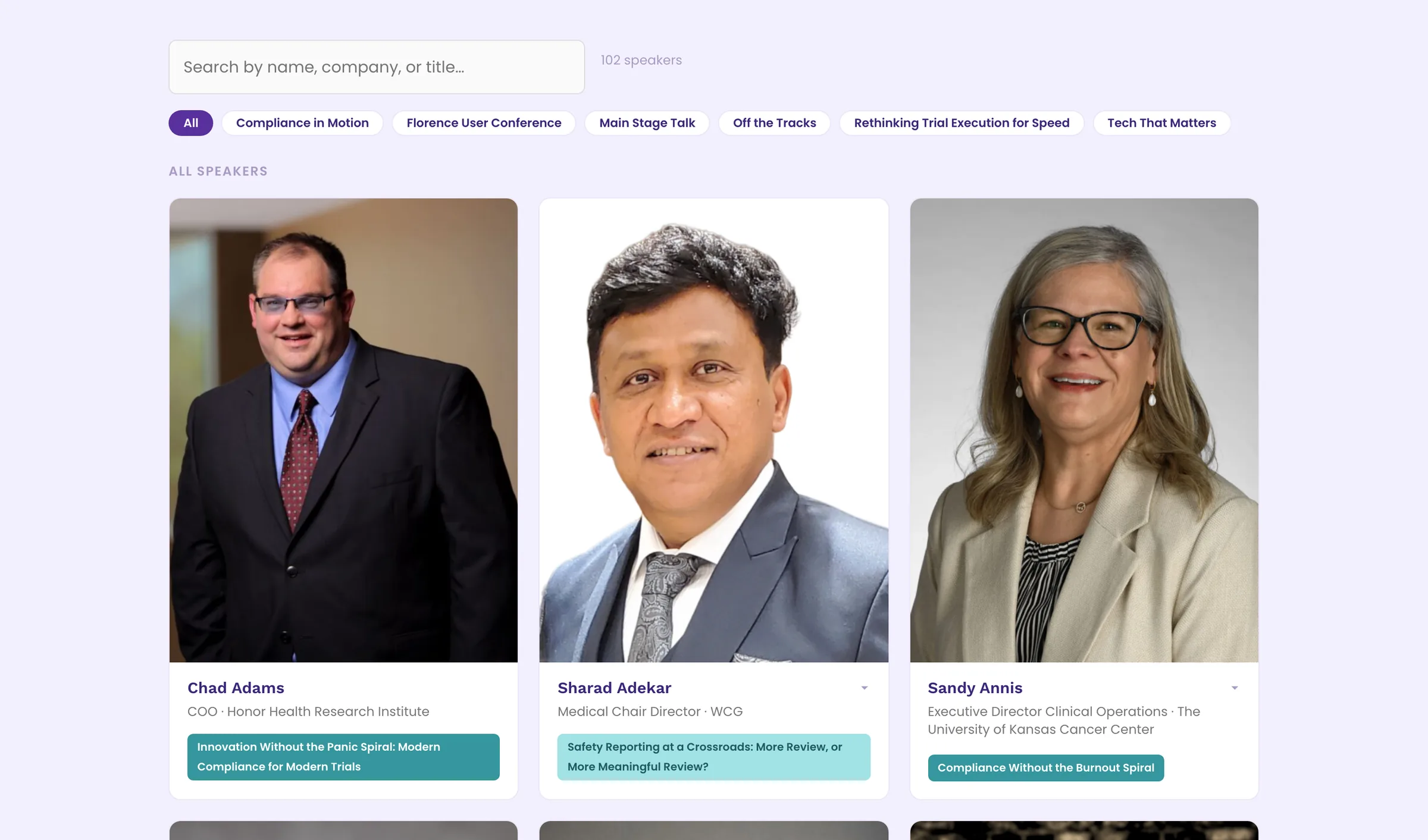
2026, filled from the spreadsheet
What we built
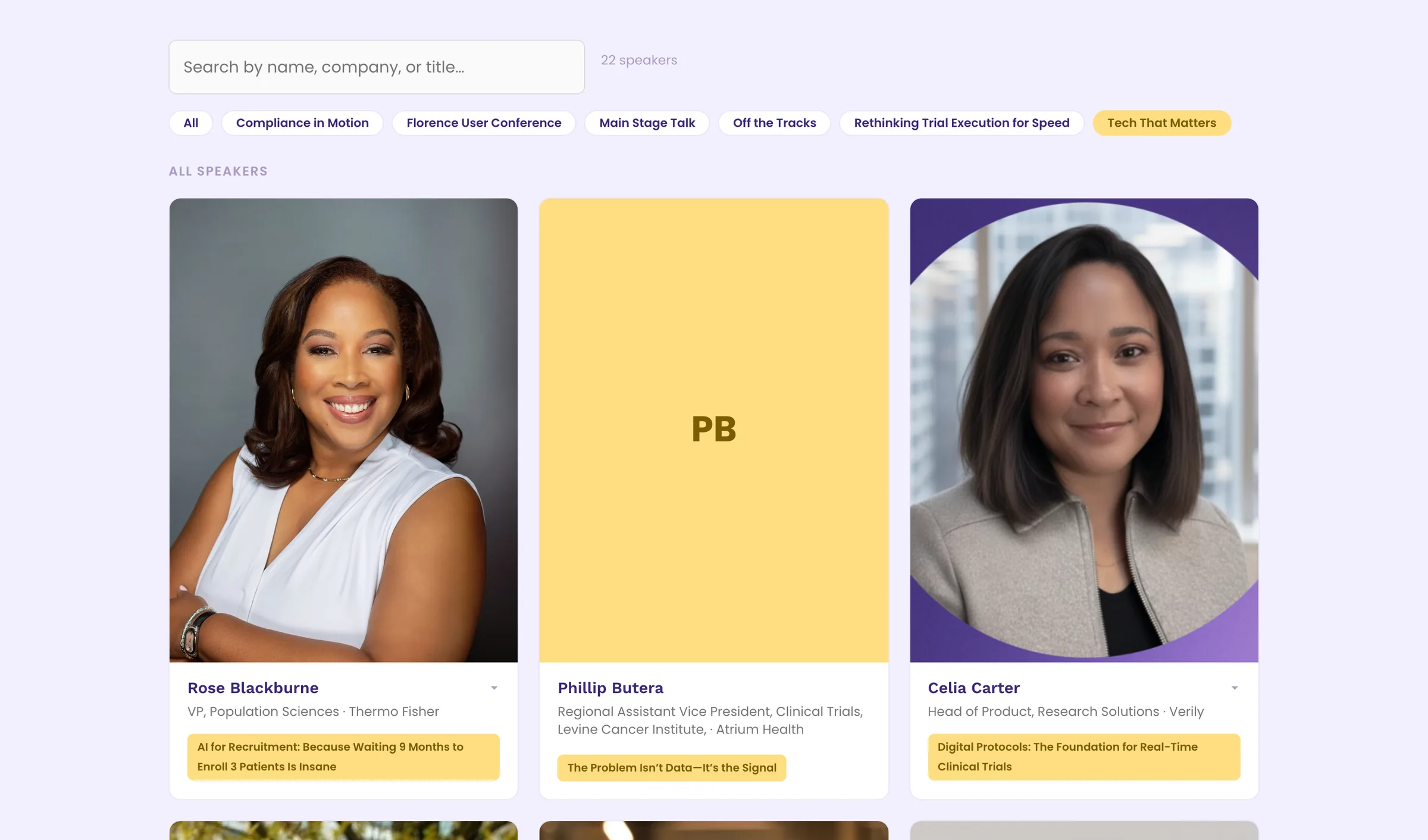
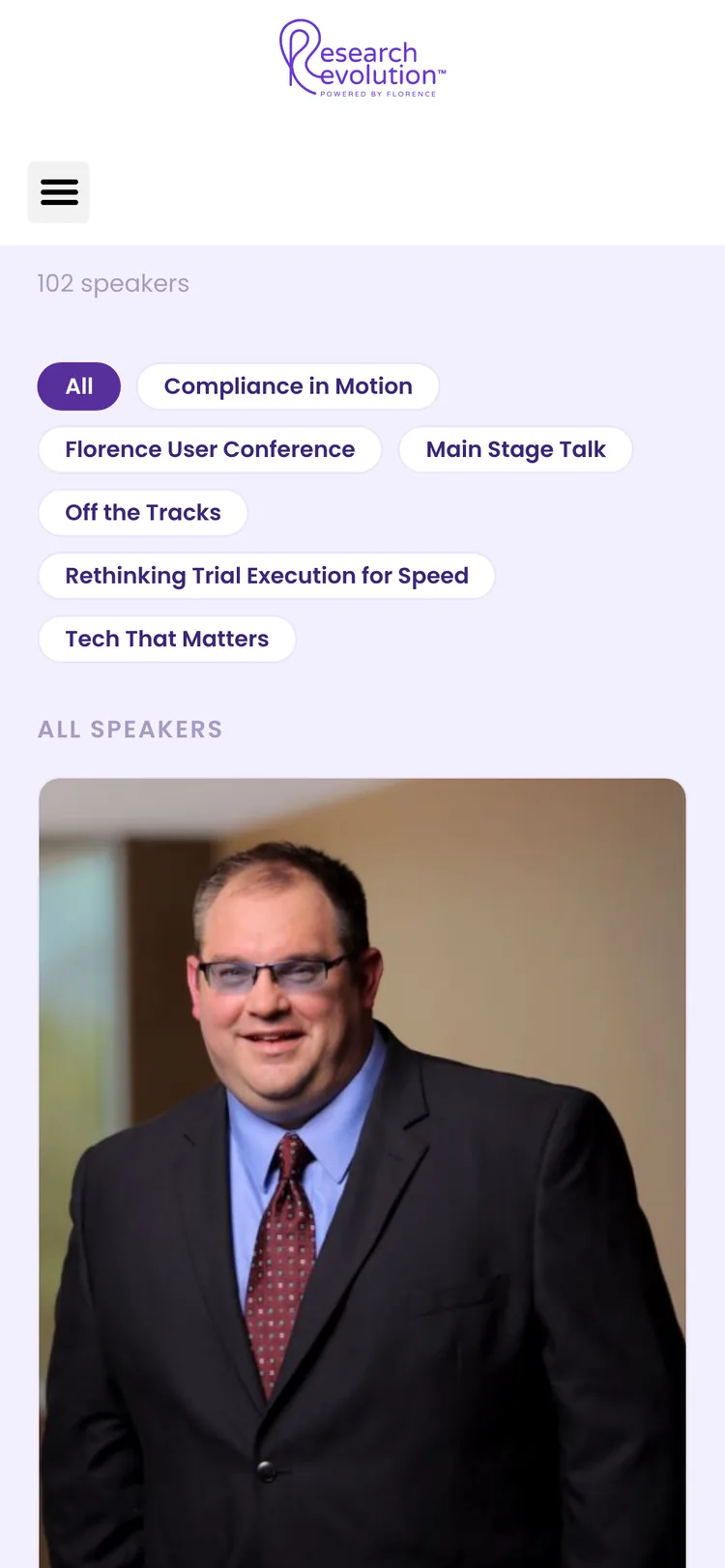
A small WordPress plugin gives every speaker a record and gives the page its grid. Visitors search by name, company or title, filter by track, and open a biography in place. Each track has its own color, and a speaker without a photo gets a tile with their initials in it.
An import reads the organizers' spreadsheet and creates or updates speaker records to match. It can be run as often as the roster changes, and it never makes a duplicate.
102
speakers on the page
6
tracks, each with its own color
2 min
for a full roster import
Built to be run every week
A roster update is a few commands. The import finds each column by its heading, so a column moved in the spreadsheet does not break it. A dry run lists every change before anything is written.
After each import, a check lists anyone who has left the spreadsheet or had their name corrected, so a withdrawn speaker is not left on the page by accident. Headshots are matched to speakers by name, and any the import cannot place are listed for a person to sort out.


Two pages handed over
The sponsors page and the homepage carousel work the other way round. Each was generated once from the approved design, as an ordinary Elementor page, and then handed to the team. They edit it like any other page, and running the script again leaves their changes alone.
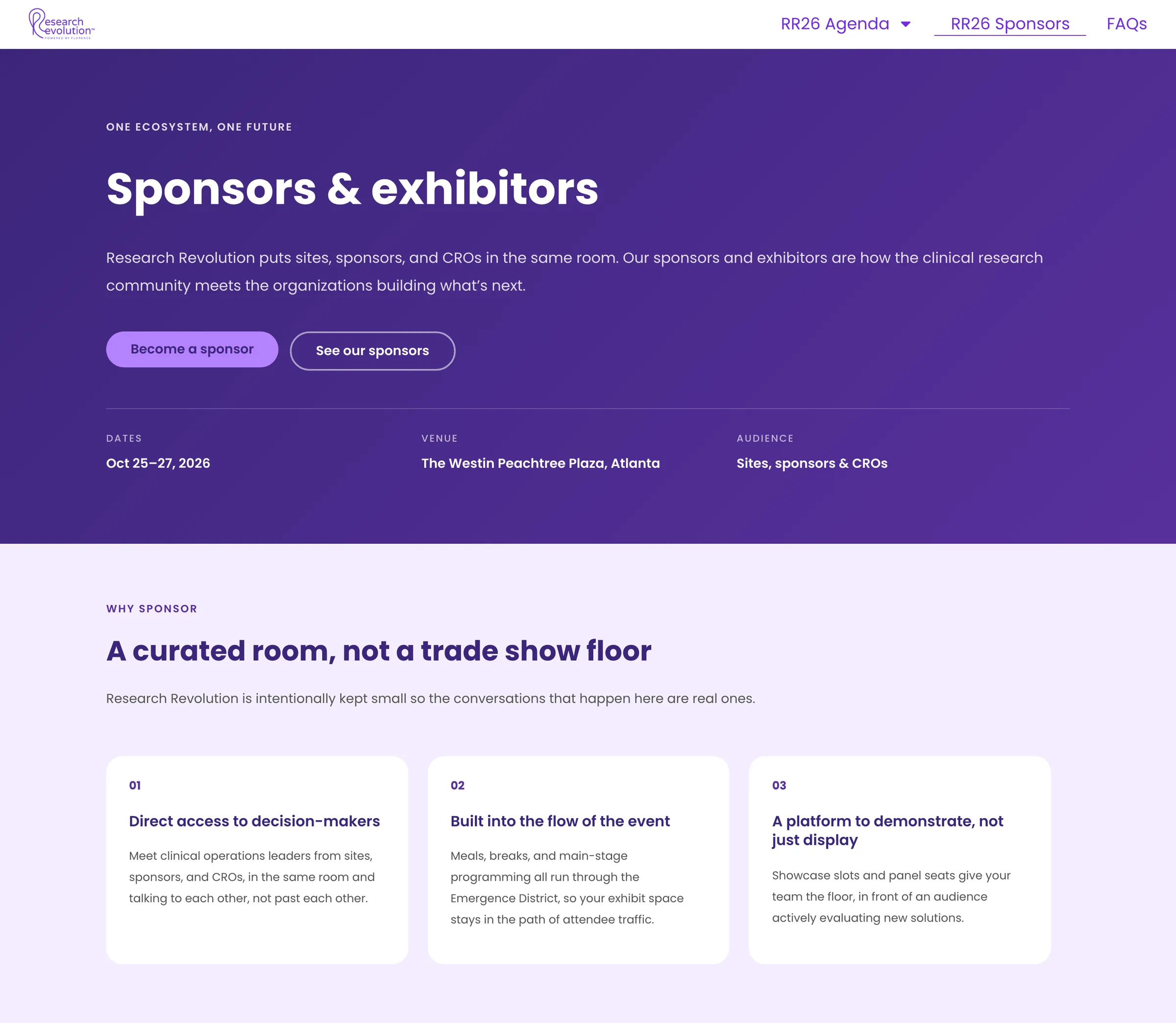
The sponsors and exhibitors page

Where it stands
Research Revolution 2026 ran in Atlanta from October 25 to 27. Its speakers page lists 102 speakers, and the homepage carousel now carries the dates for 2027.
Tech stack
Have a similar challenge?
We'd love to hear about your project. Let's talk about how we can help.
Start a conversation